DataFlex
DataFlex
Salesforce OAuth2 Refresh Access Token
See more OAuth2 Examples
Demonstrates how to refresh a Salesforce Access Token.Note: Use Chilkat v10.1.2 or later for this example.
Chilkat DataFlex Downloads
Use ChilkatAx-win32.pkg
Procedure Test
Boolean iSuccess
Handle hoJsonToken
Handle hoOauth2
Variant vSbJson
Handle hoSbJson
String sTemp1
Move False To iSuccess
// This example requires the Chilkat API to have been previously unlocked.
// See Global Unlock Sample for sample code.
// It is assumed we previously obtained an OAuth2 access token.
// This example loads the JSON access token file
// saved by this example: Get SalesForce OAuth2 Access Token via Authorization Flow
Get Create (RefClass(cComChilkatJsonObject)) To hoJsonToken
If (Not(IsComObjectCreated(hoJsonToken))) Begin
Send CreateComObject of hoJsonToken
End
Get ComLoadFile Of hoJsonToken "qa_data/tokens/_salesforce.json" To iSuccess
If (iSuccess <> True) Begin
Showln "Failed to load _salesforce.json"
Procedure_Return
End
// This is an example of a Salesforce OAuth2 access token to be refreshed:
// {
// "access_token": "00D41000....uLZBpT6",
// "refresh_token": "5Aep....25xdGgkrV",
// "signature": "cjTbSc5DvcKpaMoRTzuQTJLb1tcMw8LEO01flq4aMD4=",
// "scope": "refresh_token id",
// "instance_url": "https://d41000000f8a0eak-dev-ed.my.salesforce.com",
// "id": "https://login.salesforce.com/id/00D41000000F8A0EAK/005410000....xAAE",
// "token_type": "Bearer",
// "issued_at": "1738348388166"
// }
Get Create (RefClass(cComChilkatOAuth2)) To hoOauth2
If (Not(IsComObjectCreated(hoOauth2))) Begin
Send CreateComObject of hoOauth2
End
Set ComTokenEndpoint Of hoOauth2 To "https://login.salesforce.com/services/oauth2/token"
// Replace this with your actual client ID (Consumer Key)
Set ComClientId Of hoOauth2 To "CLIENT_ID"
// Note: The client secret is not required because we configured our Connected App
// to not require it for the refresh flow. See the screenshot below.
// Get the "refresh_token"
Get ComStringOf Of hoJsonToken "refresh_token" To sTemp1
Set ComRefreshToken Of hoOauth2 To sTemp1
// Send the HTTP POST to refresh the access token..
Get ComRefreshAccessToken Of hoOauth2 To iSuccess
If (iSuccess <> True) Begin
Get ComLastErrorText Of hoOauth2 To sTemp1
Showln sTemp1
Procedure_Return
End
// The response contains a new access token, but we must keep
// our existing refresh token for when we need to refresh again in the future.
Get ComAccessToken Of hoOauth2 To sTemp1
Get ComUpdateString Of hoJsonToken "access_token" sTemp1 To iSuccess
// Save the new JSON access token response to a file.
Get Create (RefClass(cComChilkatStringBuilder)) To hoSbJson
If (Not(IsComObjectCreated(hoSbJson))) Begin
Send CreateComObject of hoSbJson
End
Set ComEmitCompact Of hoJsonToken To False
Get pvComObject of hoSbJson to vSbJson
Get ComEmitSb Of hoJsonToken vSbJson To iSuccess
Get ComWriteFile Of hoSbJson "qa_data/tokens/_salesforce.json" "utf-8" False To iSuccess
Showln "OAuth2 authorization granted!"
Get ComAccessToken Of hoOauth2 To sTemp1
Showln "New Access Token = " sTemp1
// --------------------------------------------------------------------------
// Here's a screenshot of a Salesforce Connected App
// which does not requires the secret for the authorization or refresh flow.
// 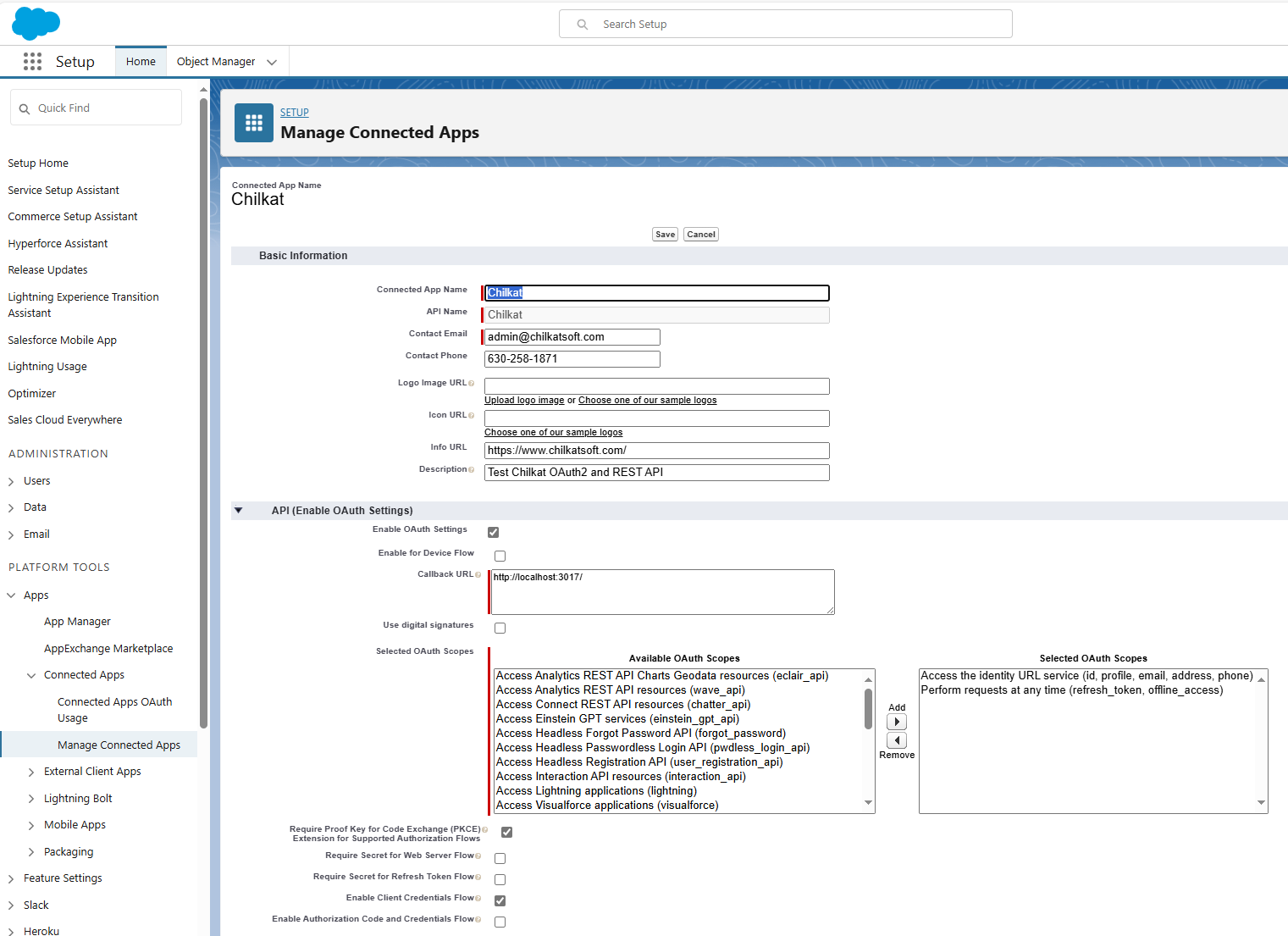 End_Procedure