VB.NET Requires Chilkat v11.7.0+
VB.NET
Create a vCard (Contact) QR Code
See more QR Code Examples
Demonstrates a QR code that adds a contact to a phone when scanned. The text is a vCard, the standard format for contact details: lines between BEGIN:VCARD and END:VCARD, each ending with CRLF. A vCard is fairly long, so the symbol is larger than one holding a web address. Leave out the fields that are not needed to keep it small.Chilkat VB.NET Downloads
Dim success As Boolean = False
' This example requires the Chilkat API to have been previously unlocked.
' See Global Unlock Sample for sample code.
' The second argument of AppendLine is cktrue to end each line with CRLF.
Dim sbCard As New Chilkat.StringBuilder
sbCard.AppendLine("BEGIN:VCARD",True)
sbCard.AppendLine("VERSION:3.0",True)
sbCard.AppendLine("N:Smith;Alex;;;",True)
sbCard.AppendLine("FN:Alex Smith",True)
sbCard.AppendLine("ORG:Example Company",True)
sbCard.AppendLine("TITLE:Sales Manager",True)
sbCard.AppendLine("TEL;TYPE=CELL:+1-555-0100",True)
sbCard.AppendLine("EMAIL:alex.smith@example.com",True)
sbCard.AppendLine("URL:https://www.example.com",True)
sbCard.AppendLine("END:VCARD",True)
Dim json As New Chilkat.JsonObject
json.UpdateSb("payload.text",sbCard)
json.UpdateInt("render.moduleSize",6)
json.UpdateString("output.path","qa_output/qr_vcard.png")
json.UpdateBool("output.overwrite",True)
json.UpdateString("output.return","none")
Dim fmt As New Chilkat.Formats
Dim jsonOut As New Chilkat.JsonObject
success = fmt.QrCode("generate",json,jsonOut)
If (success = False) Then
Debug.WriteLine(fmt.LastErrorText)
Exit Sub
End If
Debug.WriteLine("vCard length: " & sbCard.Length)
Debug.WriteLine("QR version: " & jsonOut.IntOf("symbols[0].selectedEncoding.version"))
Debug.WriteLine("modules: " & jsonOut.IntOf("symbols[0].dimensions.modulesWide") & " x " & jsonOut.IntOf("symbols[0].dimensions.modulesHigh"))
Debug.WriteLine("image: " & jsonOut.IntOf("outputs[0].width") & " x " & jsonOut.IntOf("outputs[0].height") & " pixels")
' The image written to qa_output/qr_vcard.png:
' 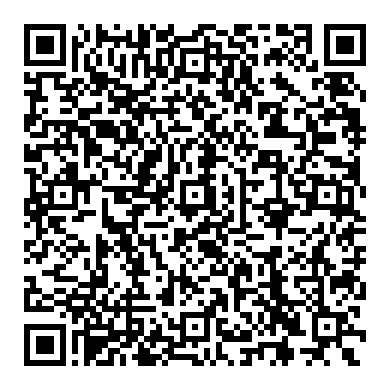 ' Sample output:
' vCard length: 197
' QR version: 10
' modules: 57 x 57
' image: 390 x 390 pixels