Unicode C++ Requires Chilkat v11.4.0+
Unicode C++
AI Modify Existing Image with Text Prompt
See more AI Examples
Uses an AI text prompt and uploaded image data to modify an existing image and receive the modified output.Chilkat Unicode C++ Downloads
#include <CkBinDataW.h>
#include <CkAiW.h>
#include <CkJsonObjectW.h>
void ChilkatSample(void)
{
bool success = false;
// This example assumes the Chilkat API to have been previously unlocked.
// See Global Unlock Sample for sample code.
// Load the data from an existing image.
CkBinDataW bdImageData;
success = bdImageData.LoadFile(L"qa_data/jpg/kid_blue_coat.jpg");
if (success == false) {
wprintf(L"%s\n",bdImageData.lastErrorText());
return;
}
CkAiW ai;
ai.put_Provider(L"openai");
// Use your provider's API key.
ai.put_ApiKey(L"MY_API_KEY");
// Choose a model.
ai.put_Model(L"gpt-5.6-terra");
CkJsonObjectW askParams;
askParams.UpdateString(L"image.output_format",L"jpeg");
ai.SetAskParams(askParams);
ai.InputAddImageData(bdImageData,L"");
ai.InputAddText(L"Modify the image by replacing the blue coat with a Metallica T-shirt.");
// Give the AI some time (2 minutes).
ai.put_IdleTimeoutMs(120000);
// Ask the AI for image output.
success = ai.Ask(L"image");
if (success == false) {
wprintf(L"%s\n",ai.lastErrorText());
return;
}
// Get the image response data.;
success = ai.GetOutputBd(bdImageData);
if (success == false) {
wprintf(L"%s\n",ai.lastErrorText());
return;
}
bdImageData.WriteFile(L"c:/aaworkarea/out.jpg");
wprintf(L"Success.\n");
// -------------------------------
// Sample Input:
// -------------------------------
// 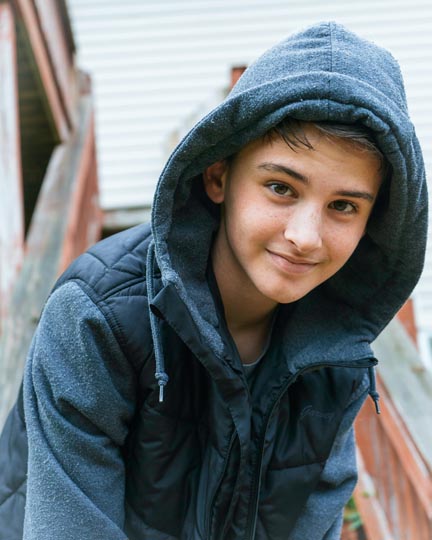 // -------------------------------
// Sample Output:
// -------------------------------
//
// -------------------------------
// Sample Output:
// -------------------------------
// 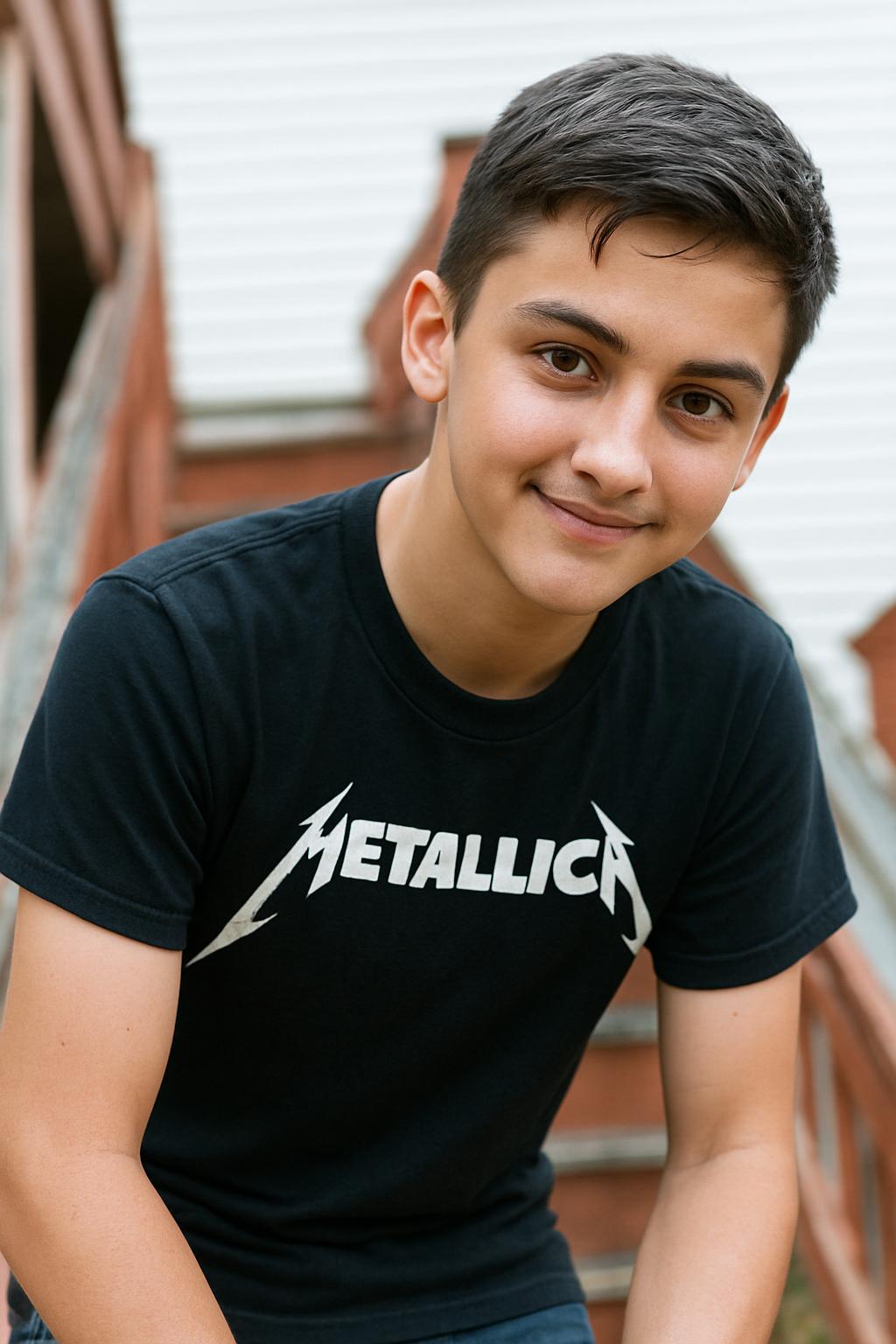 }
}