React Native
React Native
Sign PDF with Invisible Signature
See more PDF Signatures Examples
Demonstrates how to sign a PDF with an invisible signature.Note: This example requires Chilkat v9.5.0.85 or greater.
Chilkat React Native Downloads
import { Cert, JsonObject, Pdf } from '@chilkat/react-native'
async function chilkatExample() {
// This example requires the Chilkat API to have been previously unlocked.
// See Global Unlock Sample for sample code.
const pdf = new Pdf();
// Load a PDF to be signed.
// The "hello.pdf" is available at https://chilkatsoft.com/hello.pdf
try {
pdf.loadFile('qa_data/pdf/hello.pdf');
} catch {
console.log(pdf.lastErrorText);
return;
}
// Options for signing are specified in JSON.
const json = new JsonObject();
// In most cases, the signingCertificateV2 and signingTime attributes are required.
json.updateInt('signingCertificateV2', 1);
json.updateInt('signingTime', 1);
// Indicate that the signature will be invisible.
json.updateBool('invisibleSignature', true);
// Load the signing certificate. (Use your own certificate.)
const cert = new Cert();
try {
cert.loadPfxFile('qa_data/pfx/myPdfSigningCert.pfx', 'secret');
} catch {
console.log(cert.lastErrorText);
return;
}
// Tell the pdf object to use the certificate for signing.
try {
pdf.setSigningCert(cert);
} catch {
console.log(pdf.lastErrorText);
return;
}
try {
await pdf.signPdfAsync(json, 'qa_output/hello_signed.pdf');
} catch {
console.log(pdf.lastErrorText);
return;
}
console.log('PDF successfully signed with an invisible signature.');
// An invisible signature has no appearance within the PDF document itself,
// but Adobe Acrobat will indicate the document is signed in a toolbar, as shown here:
// 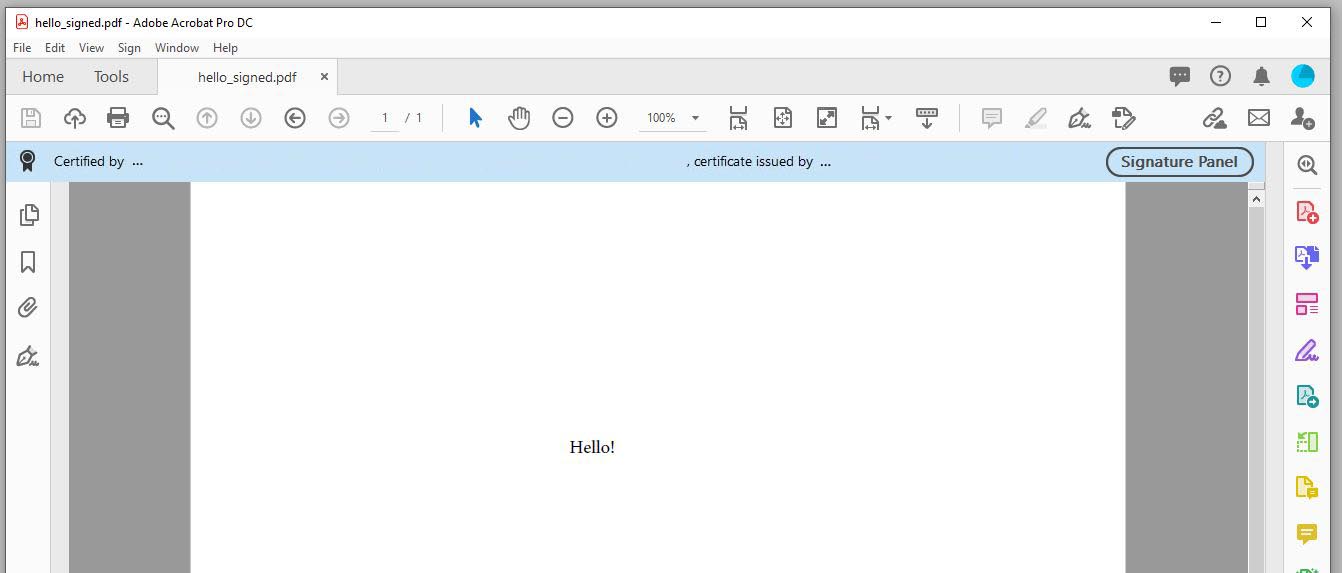 }
}