Visual FoxPro Requires Chilkat v11.2.0+
Visual FoxPro
Markdown to HTML - Full Document, Raw
See more Markdown Examples
Demonstrates how to convert a complete Markdown document to HTML using theraw theme. With the raw theme, only the HTML elements are generated, excluding:
- Document Type Declaration (e.g. <!DOCTYPE html>)
- Root Element (e.g., <html> )
- Head Section
- Enclosing <body> and </body> elements
- Closing </html> element
Chilkat Visual FoxPro Downloads
LOCAL lnSuccess
LOCAL loOptions
LOCAL loSbMarkdown
LOCAL loSbHtml
lnSuccess = 0
loOptions = CreateObject('Chilkat.JsonObject')
loOptions.UpdateString("theme","raw")
loSbMarkdown = CreateObject('Chilkat.StringBuilder')
loSbHtml = CreateObject('Chilkat.StringBuilder')
lnSuccess = loSbMarkdown.LoadFile("qa_data/markdown/test1.md","utf-8")
IF (lnSuccess = 0) THEN
? loSbMarkdown.LastErrorText
RELEASE loOptions
RELEASE loSbMarkdown
RELEASE loSbHtml
CANCEL
ENDIF
loSbMarkdown.MarkdownToHtml(loOptions,loSbHtml)
loSbHtml.ToCRLF()
? loSbHtml.GetAsString()
* Sample markdown input:
* (See sample HTML output below.)
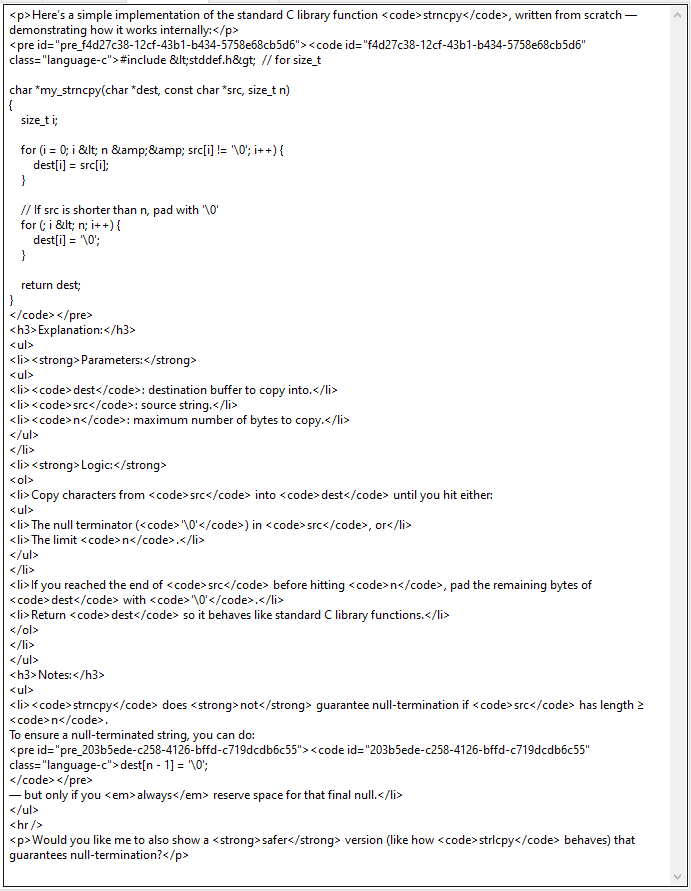
* 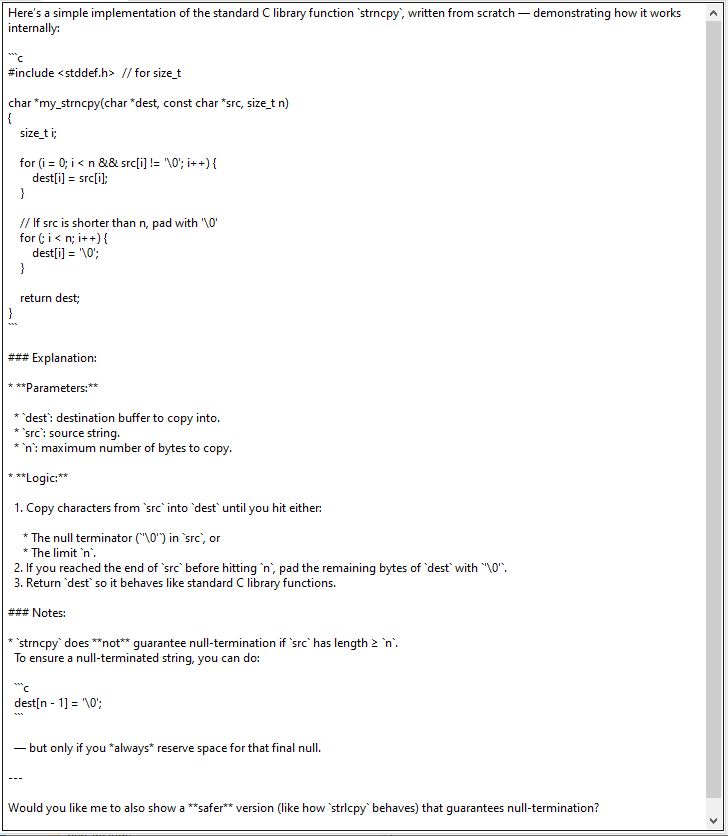 * Sample HTML output:
*
* Sample HTML output:
*  RELEASE loOptions
RELEASE loSbMarkdown
RELEASE loSbHtml
RELEASE loOptions
RELEASE loSbMarkdown
RELEASE loSbHtml