Swift
Swift
WhatsApp Cloud API Send Message
See more WhatsApp Examples
Demonstrates how to send a message using the WhatsApp Cloud API (Business App)Chilkat Swift Downloads
func chilkatTest() {
var success: Bool = false
// This example requires the Chilkat API to have been previously unlocked.
// See Global Unlock Sample for sample code.
let http = CkoHttp()!
// The following JSON is sent in the request body.
// {
// "messaging_product": "whatsapp",
// "to": "16302581871",
// "type": "template",
// "template": {
// "name": "hello_world",
// "language": {
// "code": "en_US"
// }
// }
// }
let json = CkoJsonObject()!
json.updateString(jsonPath: "messaging_product", value: "whatsapp")
json.updateString(jsonPath: "to", value: "15555555555")
json.updateString(jsonPath: "type", value: "template")
json.updateString(jsonPath: "template.name", value: "hello_world")
json.updateString(jsonPath: "template.language.code", value: "en_US")
http.authToken = "EAANrS5....yFB9Ma"
http.setRequestHeader(name: "Content-Type", value: "application/json")
let resp = CkoHttpResponse()!
success = http.httpJson(verb: "POST", url: "https://graph.facebook.com/v18.0/111111111111111/messages", json: json, contentType: "application/json", response: resp)
if success == false {
print("\(http.lastErrorText!)")
return
}
print("\(resp.statusCode.intValue)")
print("\(resp.bodyStr!)")
// Here's a screenshot of our WhatsApp test app.
// 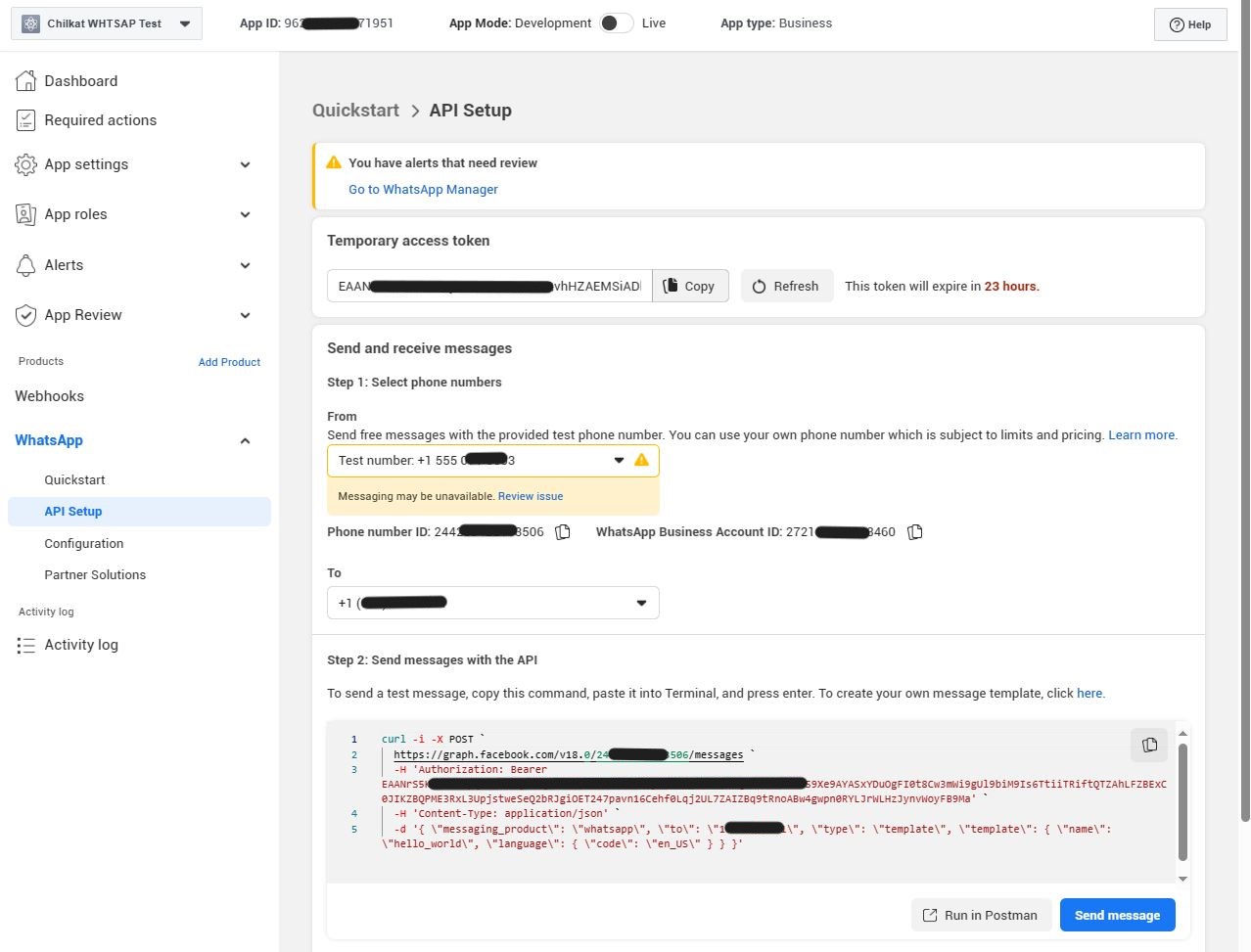 }
}