Lua Requires Chilkat v9.5.0.85+
Lua
PDF Signature Page Location
See more PDF Signatures Examples
This example demonstrates how to specify the location of a PDF signature on a page.Chilkat Lua Downloads
local chilkat = require("chilkat")
-- This example requires the Chilkat API to have been previously unlocked.
-- See Global Unlock Sample for sample code.
local pdf = chilkat.Pdf.new()
-- Load a PDF to be signed.
-- The "hello.pdf" is available at https://chilkatsoft.com/hello.pdf
local success = pdf:load_file("qa_data/pdf/hello.pdf")
if not success then
print(pdf.last_error_text)
return
end
-- Options for signing are specified in JSON.
local json = chilkat.JsonObject.new()
-- In most cases, the signingCertificateV2 and signingTime attributes are required.
json:update_int("signingCertificateV2", 1)
json:update_int("signingTime", 1)
-- When cryptographically signing a PDF, the signature's appearance can be placed on a specific
-- page in the PDF document, and at a specified location on the page.
-- The 1st page of the PDF document is page number 1 (we don't use 0-based numbering for PDF page numbers).
-- The PDF object has a NumPages property, so we can use it to sign on the last page of the PDF.
json:update_int("page", pdf.num_pages)
-- appearance.y and appearance.x JSON properties control the x,y location of the signature.
-- The "appearance.y" can be "top" or "bottom".
-- The "appearance.x" can be "left", "middle", or "right".
-- It is also possible to specify exact PDF location in user space coordinates, which is discussed below.
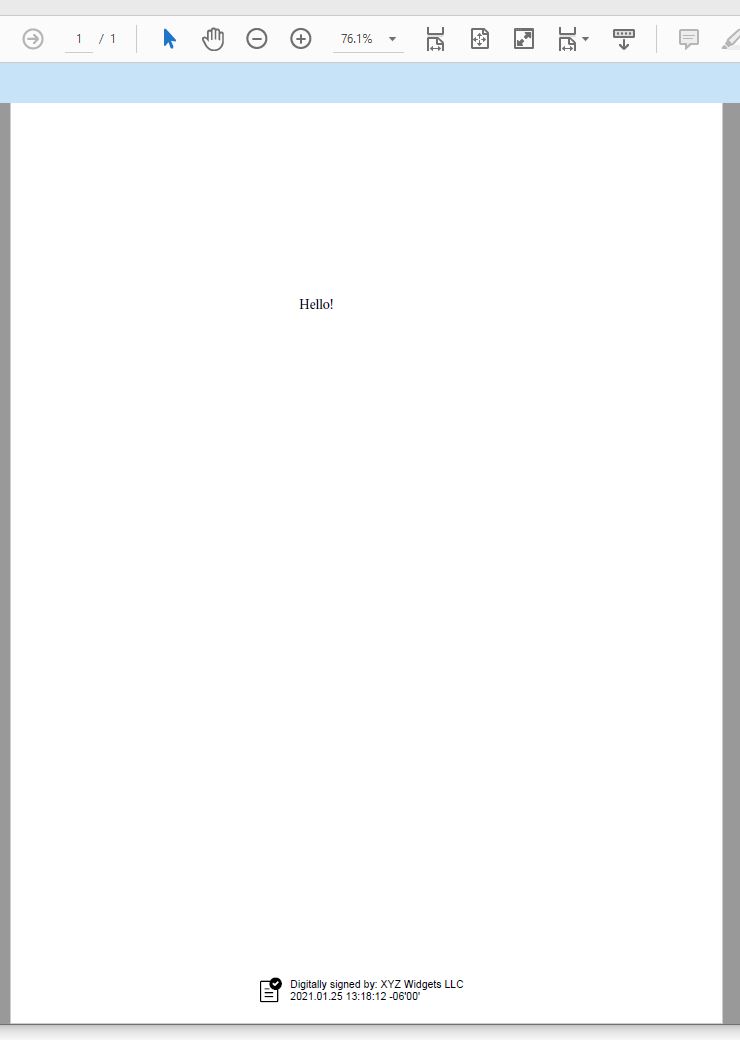
json:update_string("appearance.y", "bottom")
json:update_string("appearance.x", "middle")
-- In this example, the fontScale (in combination with the number of appearance text lines and the length of the longest text line),
-- automatically determine the width/height of the signature text box. Any included graphic (JPG image or built-in SVG) is automatically
-- scaled to fit. It is alternatively possible to specify the desired width/height of the signature rectangle. In that case
-- you would NOT specify a fontScale because Chilkat would automatically chose a font scale to fit the text to the desired rectangle.
-- This example demonstrates how to specify the exact width/height of the PDF signature text box.
json:update_string("appearance.fontScale", "9.0")
json:update_string("appearance.text[0]", "Digitally signed by: cert_cn")
json:update_string("appearance.text[1]", "current_dt")
json:update_string("appearance.image", "document-accepted")
json:update_string("appearance.imagePlacement", "left")
json:update_string("appearance.imageOpacity", "100")
-- Load the signing certificate. (Use your own certificate.)
local cert = chilkat.Cert.new()
success = cert:load_pfx_file("qa_data/pfx/myPdfSigningCert.pfx", "pfx_password")
if not success then
print(cert.last_error_text)
return
end
-- Tell the pdf object to use the certificate for signing.
success = pdf:set_signing_cert(cert)
if not success then
print(pdf.last_error_text)
return
end
success = pdf:sign_pdf(json, "qa_output/hello_signed.pdf")
if not success then
print(pdf.last_error_text)
return
end
print("The PDF has been successfully cryptographically signed.")
-- The appearance of the signature appears in Adobe Acrobat as shown here:
-- ----------------------------------------------------------------------------------------------------
-- *** Scroll down for information about specifying the PDF signature x,y location in user space coordinates.
-- ----------------------------------------------------------------------------------------------------
--  -- The x,y coordinates of a PDF page are in "user space", called "points", and there are 72 pointes per inch.
-- A PDF page (8.5" x 11") is 612 points wide and 792 points high.
-- The bottom left is at 0,0. The top right is at 612,792.
--
-- To specify the location of a signature rectangle, the "appearance.y" is the y coordinate of the top of the signature rectangle,
-- and the "appearance.x" is the x coordinate of the left of the signature rectangle.
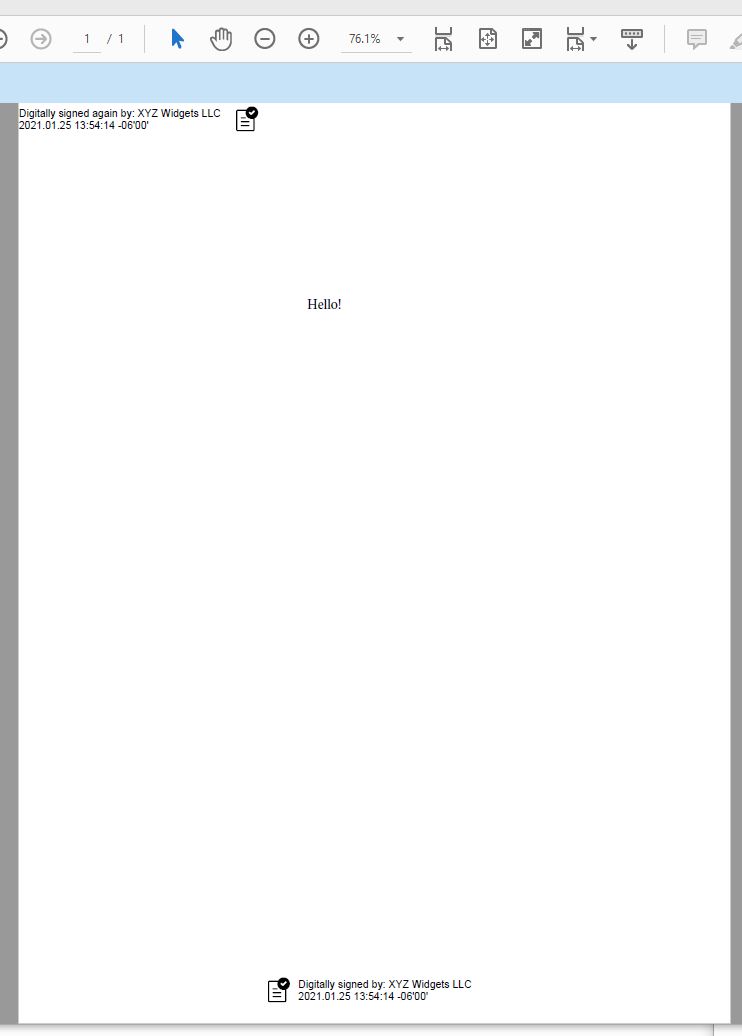
-- Therefore, to position the signature rectangle at the exact top/left of the page, we do this:
json:update_string("appearance.y", "792")
json:update_string("appearance.x", "0")
json:update_string("appearance.text[0]", "Digitally signed again by: cert_cn")
json:update_string("appearance.text[1]", "current_dt")
json:update_string("appearance.image", "document-accepted")
json:update_string("appearance.imagePlacement", "right")
local pdf2 = chilkat.Pdf.new()
success = pdf2:load_file("qa_output/hello_signed.pdf")
success = pdf2:set_signing_cert(cert)
success = pdf2:sign_pdf(json, "qa_output/hello_signed2.pdf")
if not success then
print(pdf2.last_error_text)
return
end
print("The PDF has been successfully cryptographically signed again.")
-- Here we have the PDF with the signature just added at the exact top/left.
--